Valentine's Day
A “Will you be my Valentine?” game where the No button runs away
Looking for a cute way to ask someone to be your Valentine, even over text or from far away? Unfold is an app for iPhone and Android. You make a little game with your love notes and photos, and it ends with your question. When they reach for No, the button jumps away from their finger, so yes is the only answer. You send a code: they install Unfold: Play to Reveal, enter the code and play.
Updated
Or search “Unfold Play to Reveal” in the App Store or Google Play.
How it works
- 1
Make the game
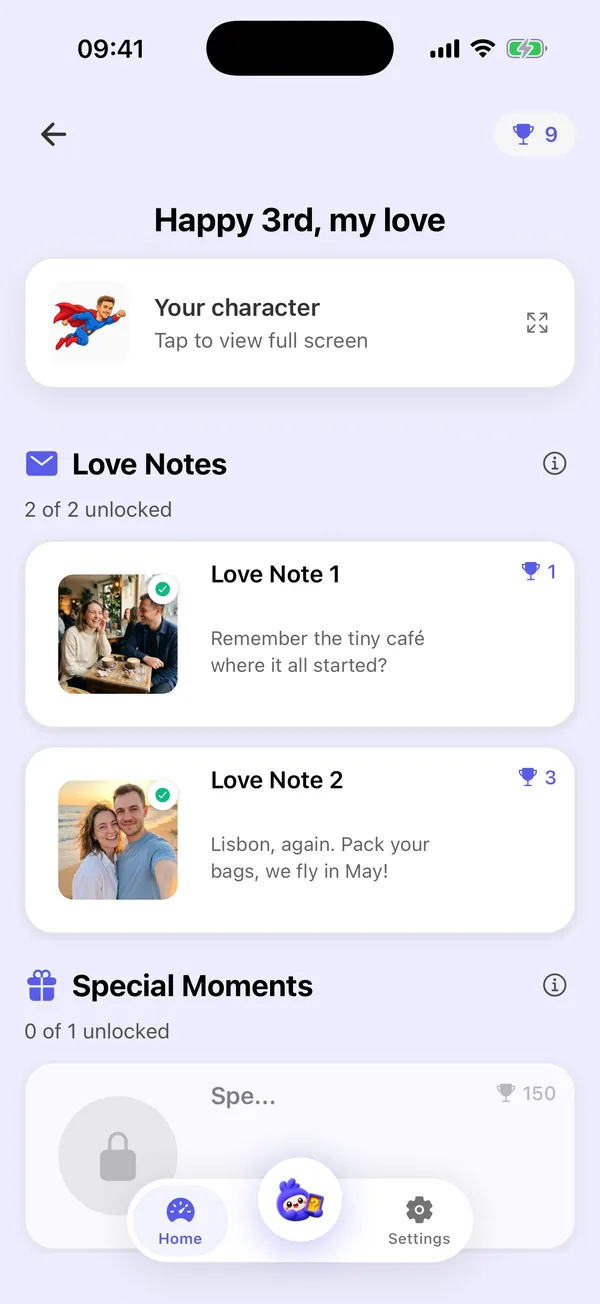
In the app, tap “A fully custom game” and pick “Valentine's” as the occasion. Add love notes with photos and set the score that unlocks each one. From 2 January, “Be my Valentine?” under “Happening now” starts this game for you, question included.
- 2
Add your question
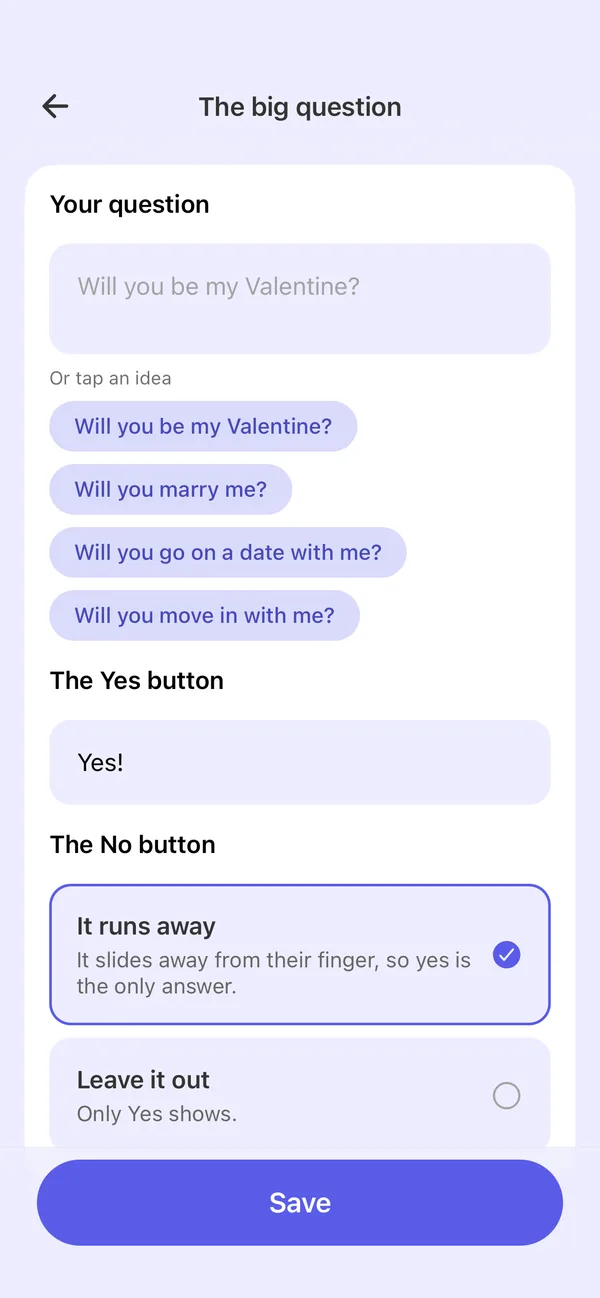
On the gift's page, tap “Add a big question”. A Valentine's gift starts with “Will you be my Valentine?”. You can also tap another idea, such as “Will you go on a date with me?”, or write your own. Then choose the No button: “It runs away” or “Leave it out”.
- 3
They play, then answer
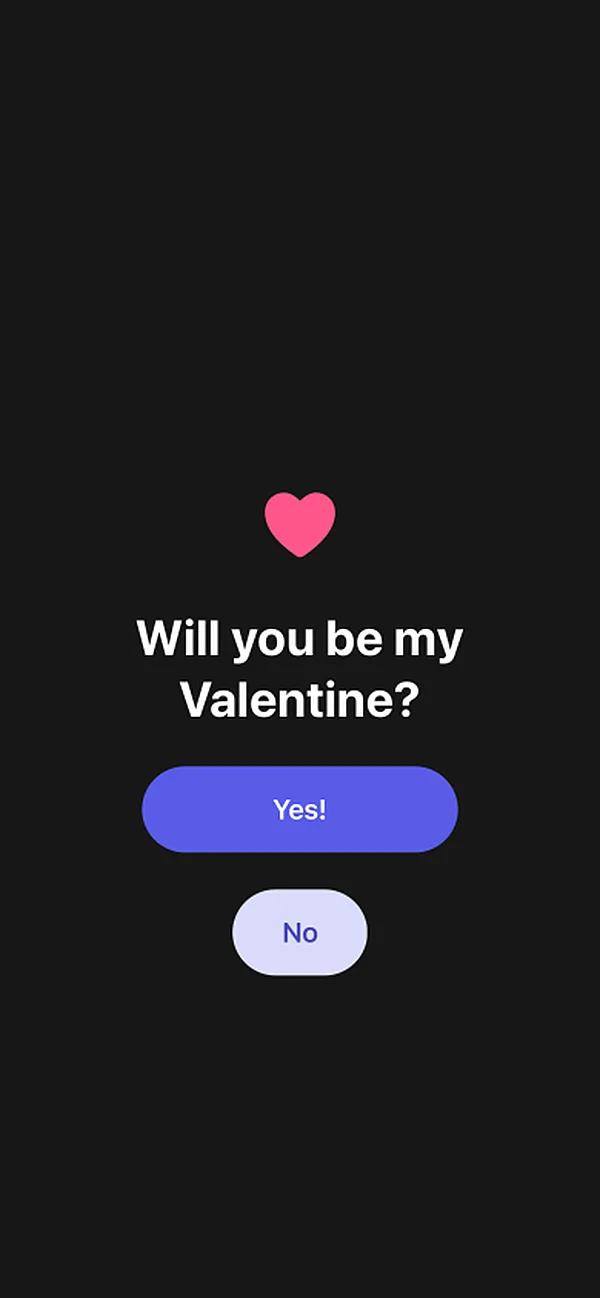
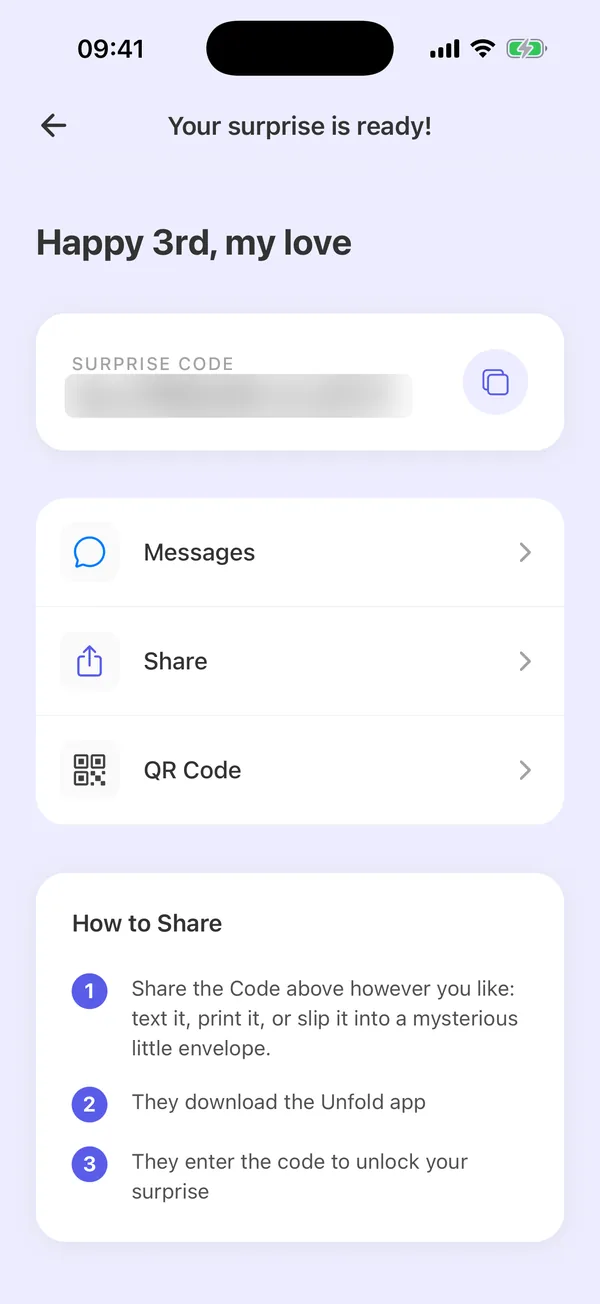
Send the code in a message or as a QR code. They install Unfold: Play to Reveal on iPhone or Android, enter the code and play. When every love note is unlocked, “One more surprise is waiting for you” appears. They open it, and your question fills the screen.
Yes is the only answer
With “It runs away”, the No button jumps to another spot each time they reach for it, and it gets a little smaller. The Yes button stays where it is. If you want only one button, pick “Leave it out”. When they tap Yes, hearts fill the screen.
Their answer shows on your gift's page with the day they said yes. With notifications on, the app also tells you when they say yes.
Ask over text, even from far away
The code goes in a message, so you can ask from another city or another country. They open the gift on their own phone, play, and answer when they reach the end. It is not a web page: the gift opens in the Unfold app.
Other gifts that end with your question
From 2 January, “Valentine week” under “Happening now” makes a calendar of 7 doors, one a day up to 14 February when you make it by 8 February. Behind each door you put words, photos, a voice note or a video, and your question comes after the last door.
Open-when letters, a photo puzzle or a “How well do you know me?” quiz can end with the question too: pick “Valentine's” as the occasion, then add a big question.
Questions
Is there a “Will you be my Valentine?” game I can send?
Yes. With Unfold: Play to Reveal, on iPhone and Android, you make a little game that ends with “Will you be my Valentine?”. They play it on their phone, unlock your love notes, then answer your question.
Does the No button really run away?
Yes, when you choose “It runs away”. Each time they reach for No, it jumps to another spot and gets a little smaller. You can also leave the No button out.
Can I write my own question?
Yes. Write any question, or tap an idea: “Will you be my Valentine?”, “Will you marry me?”, “Will you go on a date with me?” or “Will you move in with me?”. You can change the words on the Yes button too.
Is it a link I can send?
You send a message with the code. They install Unfold: Play to Reveal from the App Store or Google Play and enter the code. The game opens in the app, not in a browser.
Will I know their answer?
Yes. Your gift's page shows the day they said yes. With notifications on, the app also tells you when they say yes.
Can I see it before I send it?
Yes. Preview plays the whole game the way they will see it. Nothing you do in preview is saved or sent.
Does it work on iPhone and Android?
Yes. Unfold: Play to Reveal is on the App Store and on Google Play.
Ask them with a game
Start with one photo, one note and your question. Preview it, then send the code.
Or search “Unfold Play to Reveal” in the App Store or Google Play.