Anniversary surprise
An anniversary gift game with your photos and love notes
Turn your story into a little game. They play it to earn points, and each milestone unlocks something you chose: a photo, a note, a plan for your next trip.
Updated
Or search “Unfold Play to Reveal” in the App Store or Google Play.
How it works
- 1
Set the scene and their character
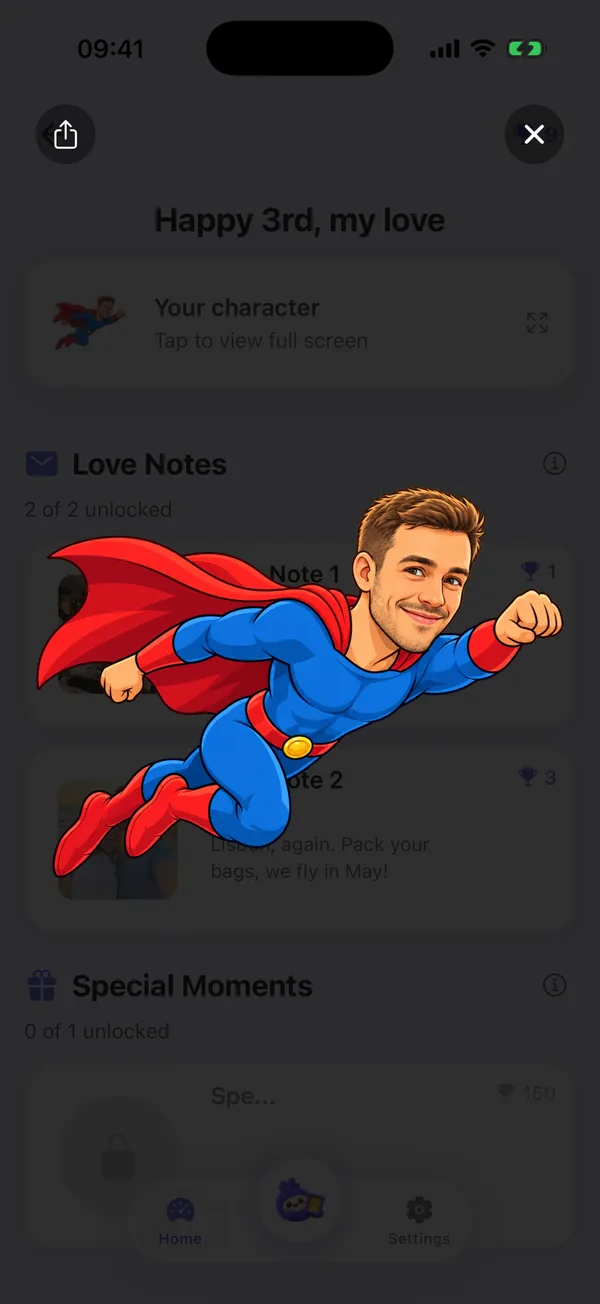
Choose a background, the obstacles and what they collect. Pick a character, or describe one and add a photo of them to inspire it.
- 2
Write the notes, then send the code
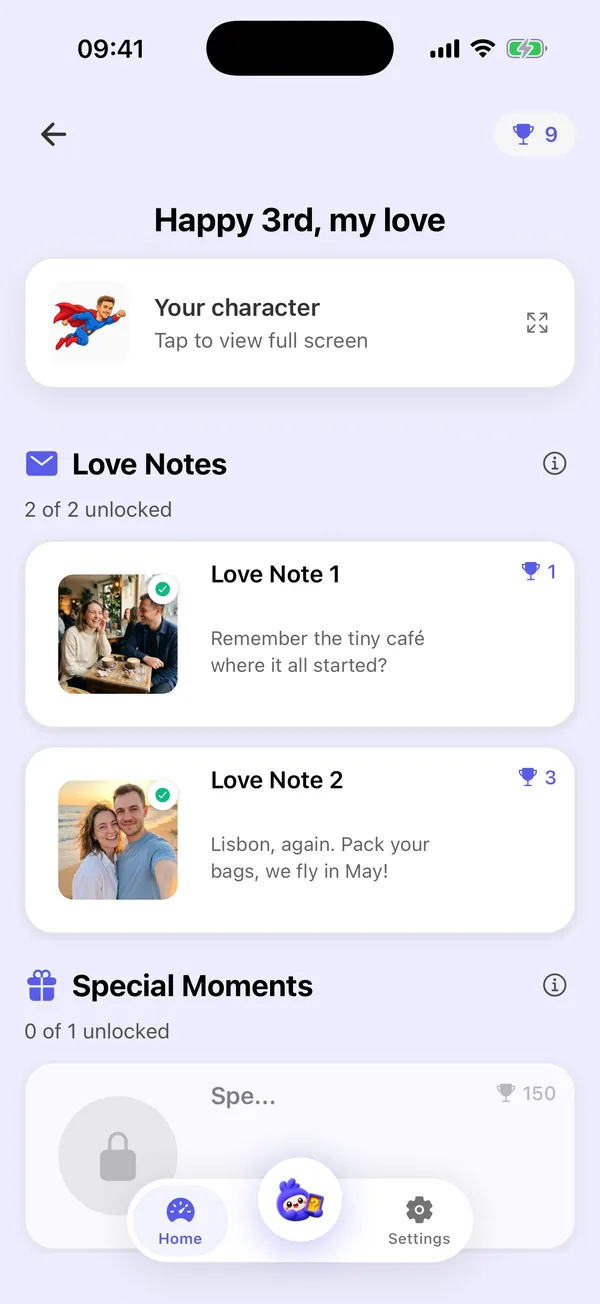
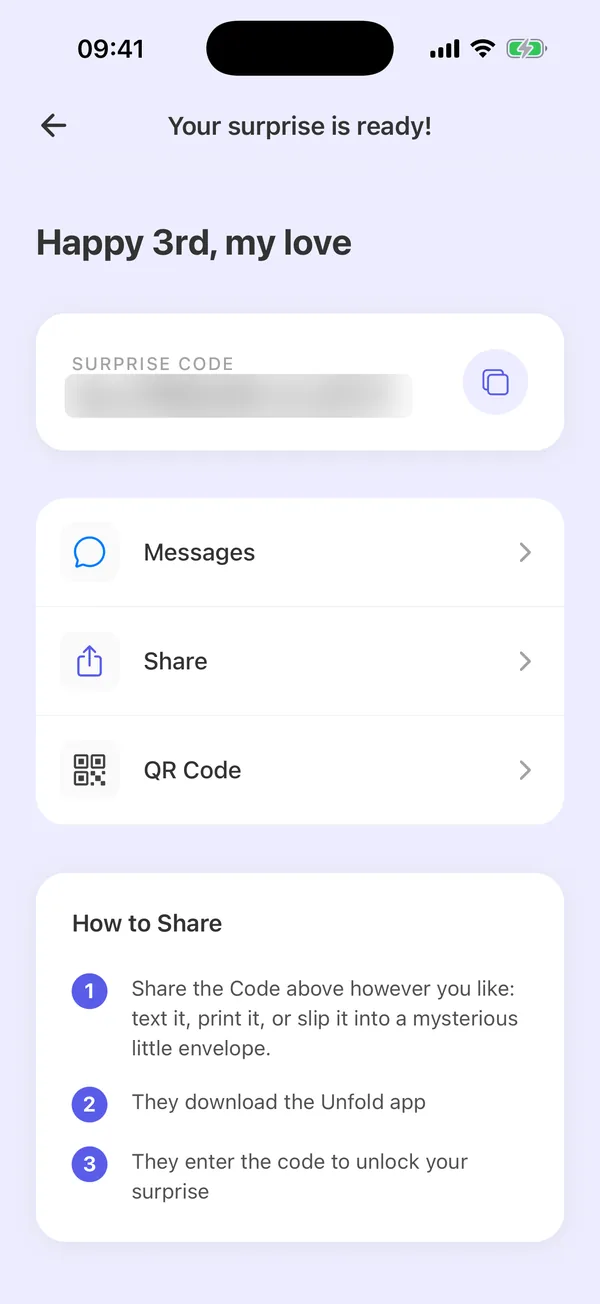
Add love notes with photos and set the score that unlocks each one, plus a bigger reward that unlocks as their points add up. Then send the code: they install Unfold: Play to Reveal, enter it and play.
For your first anniversary or your twentieth
Use the photos from your first date, the place where you got engaged or the trip you still talk about. Write a note for each one, and make the last unlock the surprise: tickets, a dinner, or the words you want to say.
Notes in one game, rewards across many
Love notes unlock when they reach a score in a single game. Rewards unlock as their points add up over every game they play, so the biggest surprise can wait until the end.
Questions
What is an anniversary gift game?
A small game made from your own story. Your partner plays it on their phone, and their points unlock the love notes, photos and rewards you prepared.
How is the game played?
They tap to jump, dodge obstacles and collect items for points. You choose the background, the character, the obstacles and what they collect.
What can I unlock?
Love notes with photos, each at the score you choose, and rewards that unlock as their total points grow: a dinner, a trip, a promise, anything you write.
How do they open it?
You send them a code, in a message or as a QR code. They install Unfold: Play to Reveal from the App Store or Google Play and enter the code.
Can I see it before I send it?
Yes. You can preview the whole surprise the way they will see it.
Is it only for anniversaries?
No. You can make the same kind of game for a birthday, Christmas, a thank-you or big news, for anyone you want to surprise.
Does it work on iPhone and Android?
Yes. Unfold: Play to Reveal is on the App Store and on Google Play.
Make your anniversary game
Start with one photo and one note. You can add more and preview the game before you send the code.
Or search “Unfold Play to Reveal” in the App Store or Google Play.