Proposal idea
A proposal game that ends with “Will you marry me?”
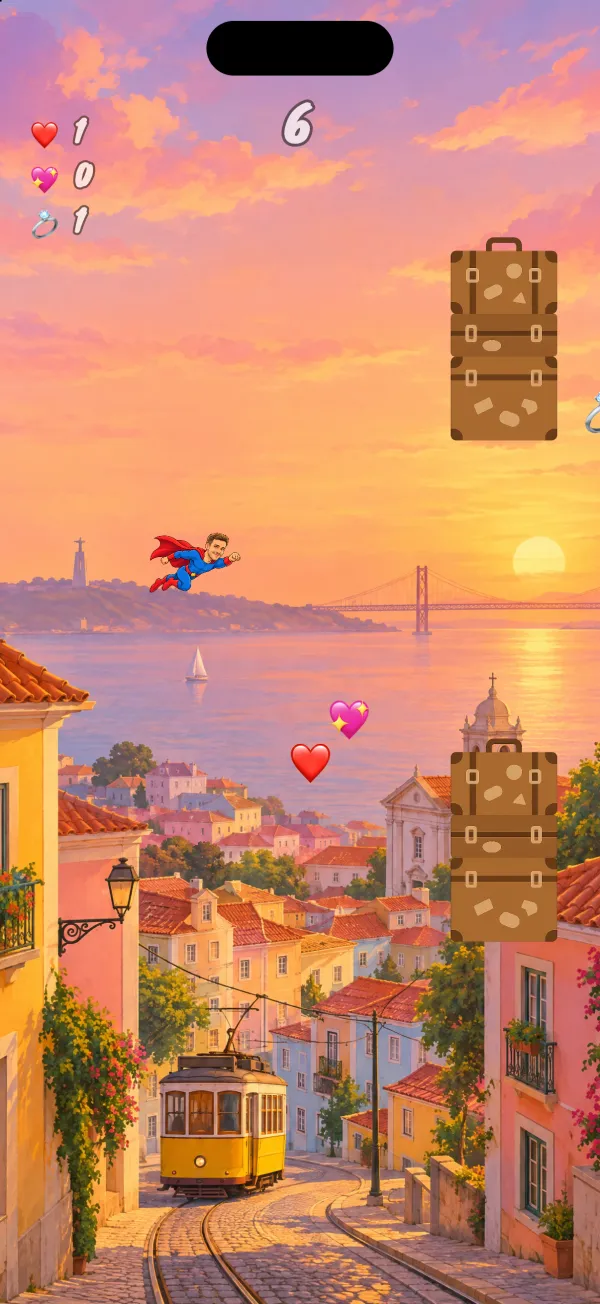
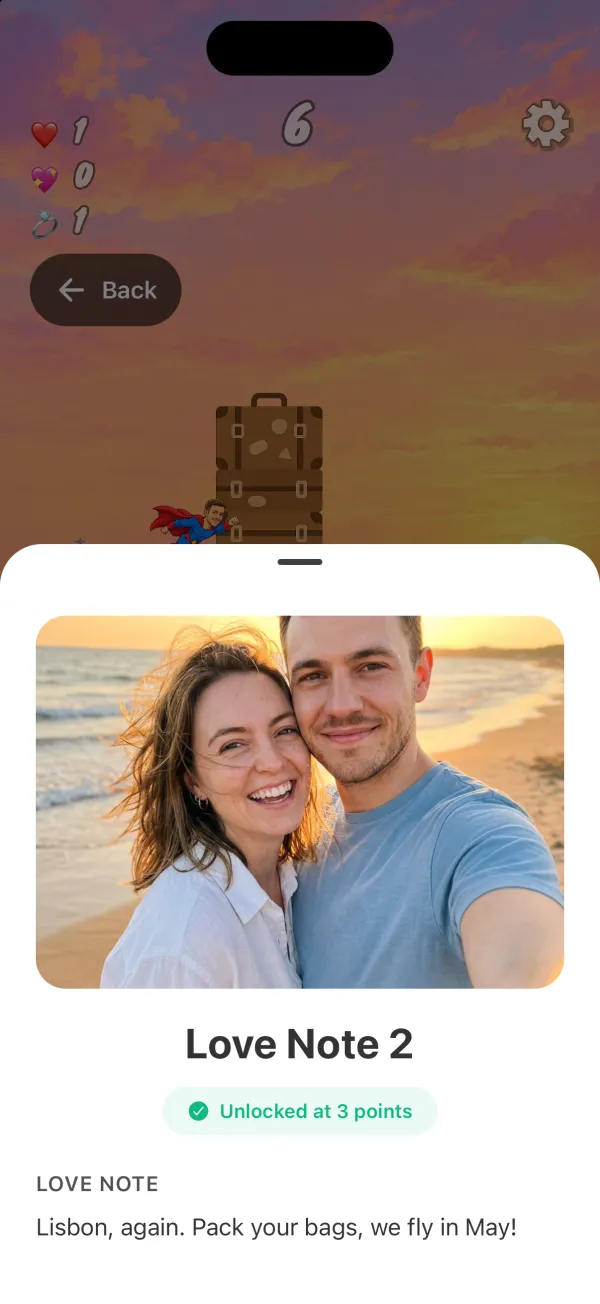
Turn your story into a little game. They play to unlock your love notes and photos, one by one: the moment you knew, your favorite place, the future you see together. When the last note opens, one more surprise is waiting for them: your question.
Updated
Or search “Unfold Play to Reveal” in the App Store or Google Play.
How it works
- 1
Make the game from your story
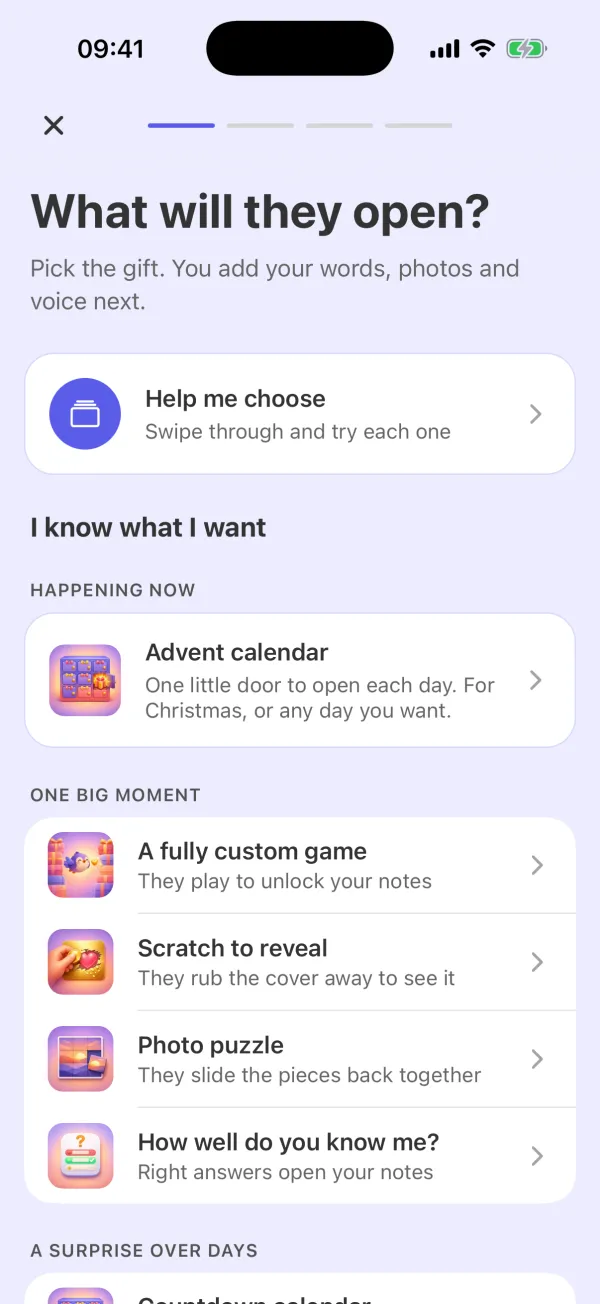
Choose “A fully custom game” and “Proposal” as the occasion. Pick the scene, a character, the obstacles and what they collect. Add love notes with photos, each at the score you choose. Then add the big question in the gift's settings.
- 2
They play, then the question appears
Send them the code. They install Unfold: Play to Reveal, enter it and play. When every love note is unlocked, the game shows “One more surprise is waiting for you”. They open it, and your question appears.
Only a Yes button
For a proposal, the question starts as “Will you marry me?” and the No button is left out, so Yes is the only answer. You can change the words, rename the Yes button or ask something else, such as “Will you move in with me?”.
When they say yes
Hearts fill the screen and they see “You said yes!”. Their answer shows on your gift's page, with the date they said it.
Plan the moment
Send the code before the day, so the game is on their phone. Then be there when they reach the last note, with the ring ready. Play the whole game in preview first to check every note and the question.
Questions
What is a proposal game?
A small game made from your story that ends with your question. They play on their phone, unlock your love notes and photos, and then “Will you marry me?” appears.
How is the game played?
They tap to jump, dodge obstacles and collect items for points. You choose the scene, the character, the obstacles and what they collect.
When does the question appear?
When they have unlocked every love note. The game then shows “One more surprise is waiting for you”, and they open it.
Is there a No button?
For a proposal, No is left out, so only Yes shows. If you want a No button, you can make it run away from their finger.
Will I know their answer?
Yes. Their answer shows on your gift's page, with the date they said yes.
How do they get the game?
You send them a code, in a message or as a QR code. They install Unfold: Play to Reveal from the App Store or Google Play and enter the code.
Can I try it before I send it?
Yes. You can play the whole game and see the question in preview. An answer you give in preview is not sent.
Does it work on iPhone and Android?
Yes. Unfold: Play to Reveal is on the App Store and on Google Play.
Make your proposal game
Start with one photo and one note. Play it in preview as often as you like before you send the code.
Or search “Unfold Play to Reveal” in the App Store or Google Play.